
Apple Numbers saved my podcast workflow
Every time I think I have it figured out, I end up back at the basics. It reminds me of that Apple Notes meme floating around the web, where people go from complex workflows and fancy tools and end up right back in Apple Notes.
This week was no different.
I had it all. A custom dashboard I built from the ground up, and a solid workflow mapped out in Whimsical, which you can see in the image below. In theory, it all looked sound.
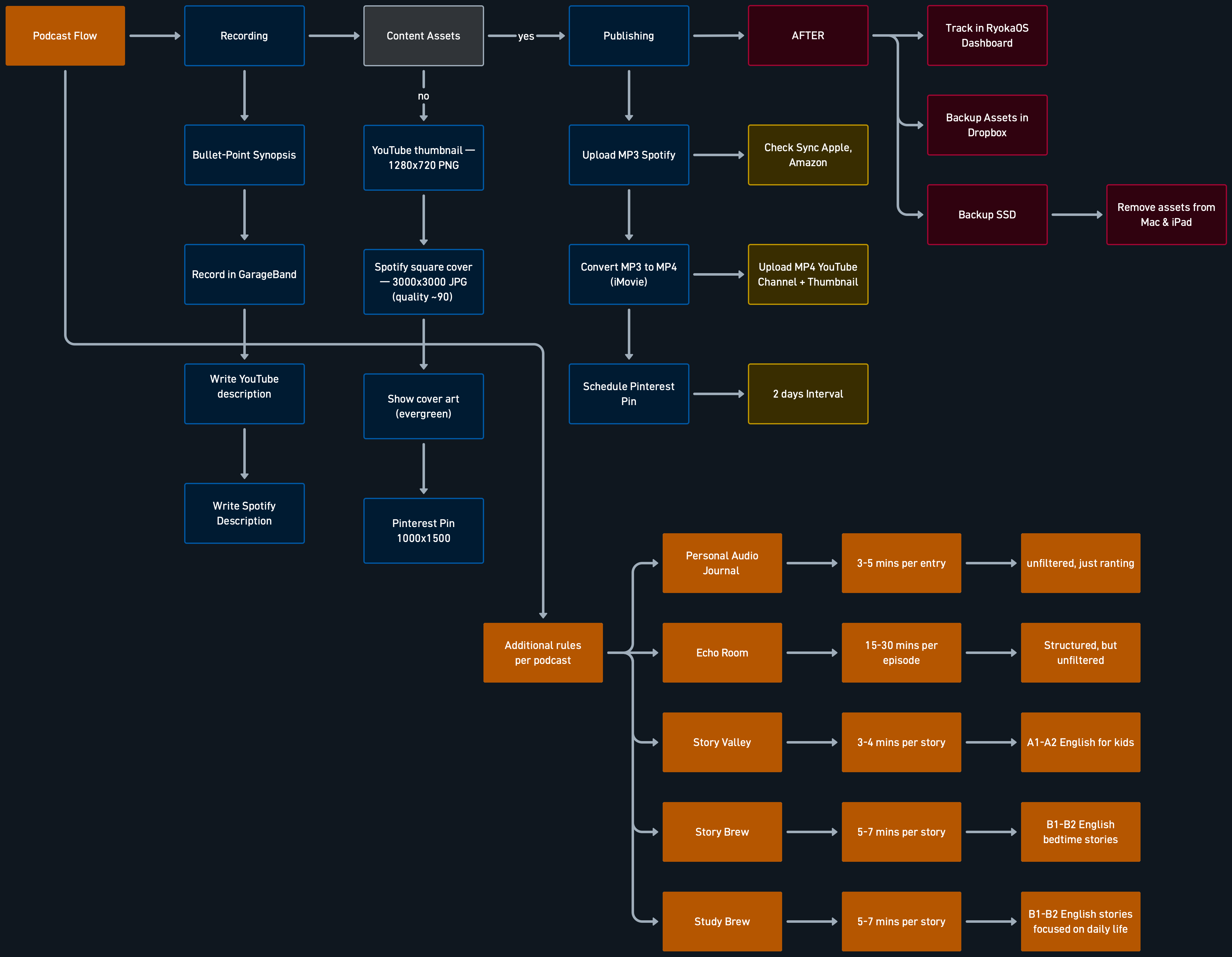
Then I moved homes. My flow broke.
I had to recalibrate more than usual, and somewhere along the way I stopped properly managing my content recordings. The system was fine. I just wasn't running it.
Read also: Friday rundown, unpack and declutter
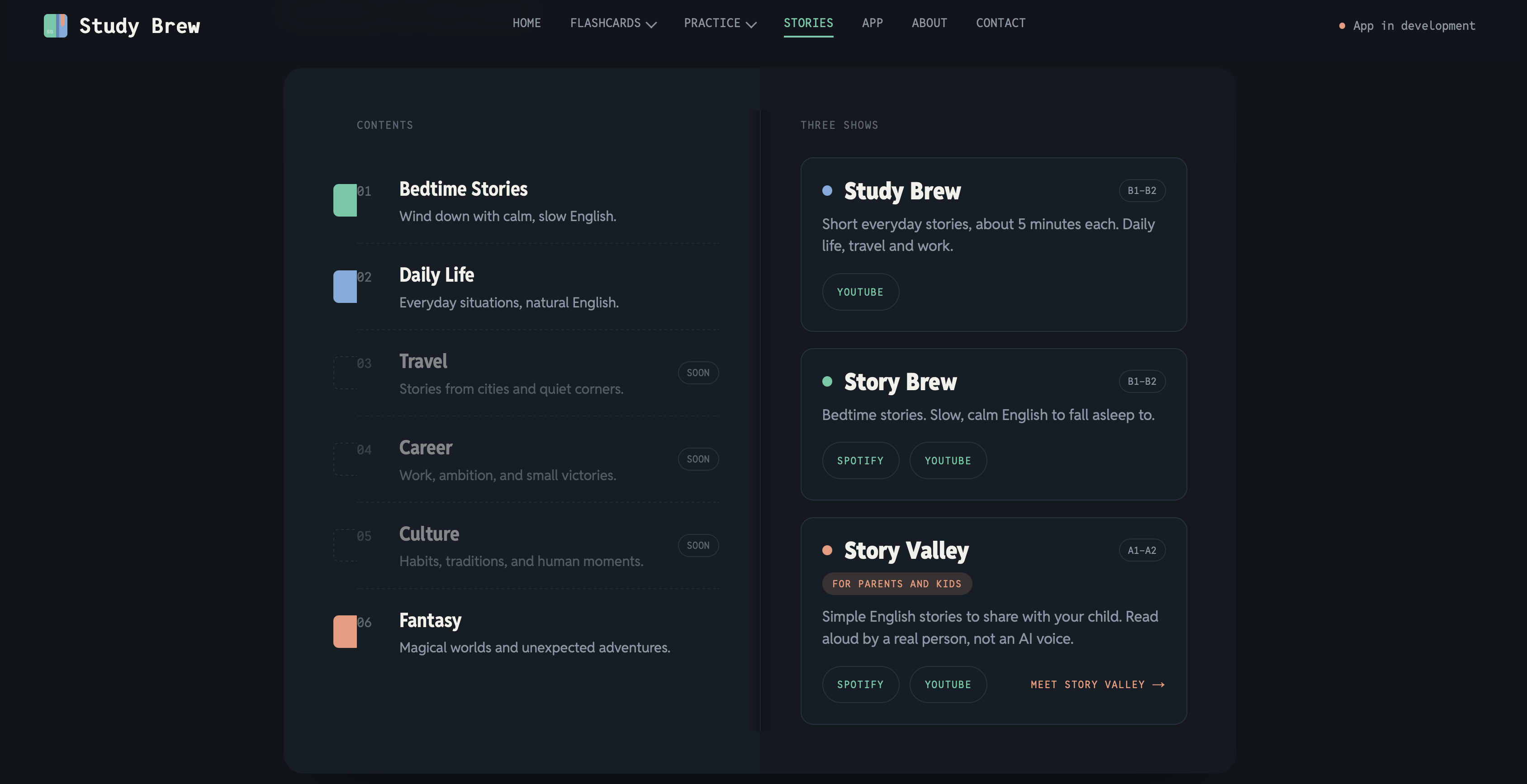
This week, I decided to declutter and rethink how I manage five different podcast shows, starting with the three English-learning channels: Study Brew, Story Brew, and Story Valley.
What was wrong (too much tbh)
The problem came down to three things. I had no oversight. My recorded and exported files for YouTube were scattered across different folders and SSD drives. And I had only partially updated the podcast area of my dashboard, with some scripts missing because of a bug I had to solve back then.
In other words, it was a fucking mess, and no fancy tool or automation was going to solve it.
Old school, kind of
So I went old school. Well, kind of.
I went through my Spotify for Creators dashboard, screenshotted the episode list for each podcast, and rammed it all through Claude. I asked it to list every episode, which it did. Then I was stuck with the same problem.
It was just a list. To do anything with it, I still had to go through my dashboard, with too many clicks and too many windows open at once. A simple data-sorting problem had turned into a mess again.
Half of my shit wasn't uploaded or scheduled on YouTube yet. Study Brew on YouTube wasn't even launched until this week. And so on, and on.
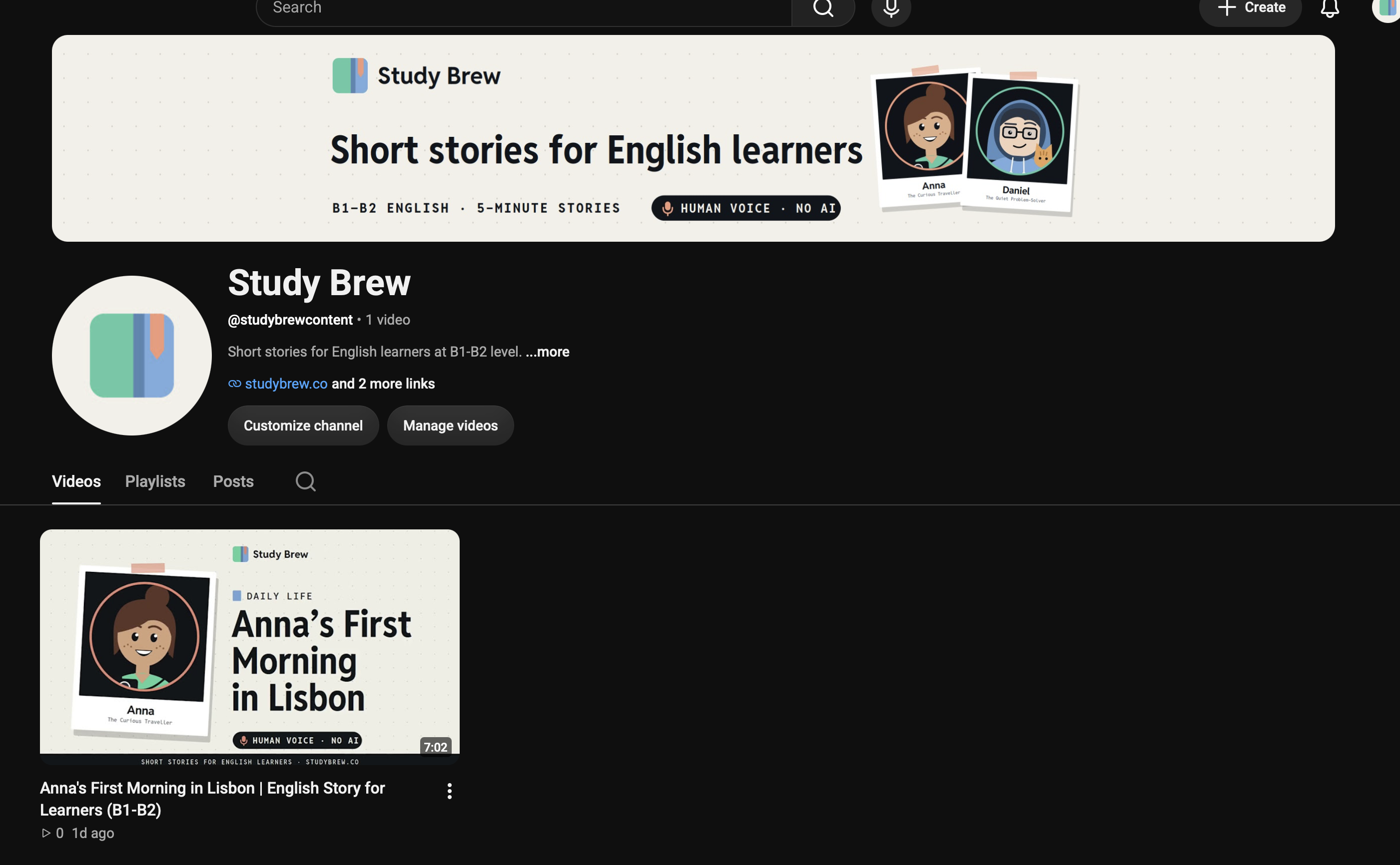
That's when it clicked that I needed old-school methods, for real this time.
Back to Apple Numbers
Apple Numbers is Apple's equivalent of Google Sheets, and it's a strong native app I used to use a lot. Then I ignored it, mostly because my custom dashboard solves most of my issues.
I had just used Numbers again during the overhaul of my TWO Docs website, when I exported all the URLs through Screaming Frog. So it was still fresh.
At this scale of decluttering, going back to Apple Numbers was the best call, if not the only right one.
I asked Claude to build me a sheet with six columns for each podcast channel: name (the character), episode title, category, status, Spotify, and YouTube.
After that, I asked it for a list of 100 to 120 episode titles, evenly distributed per character, so I can keep track easily.
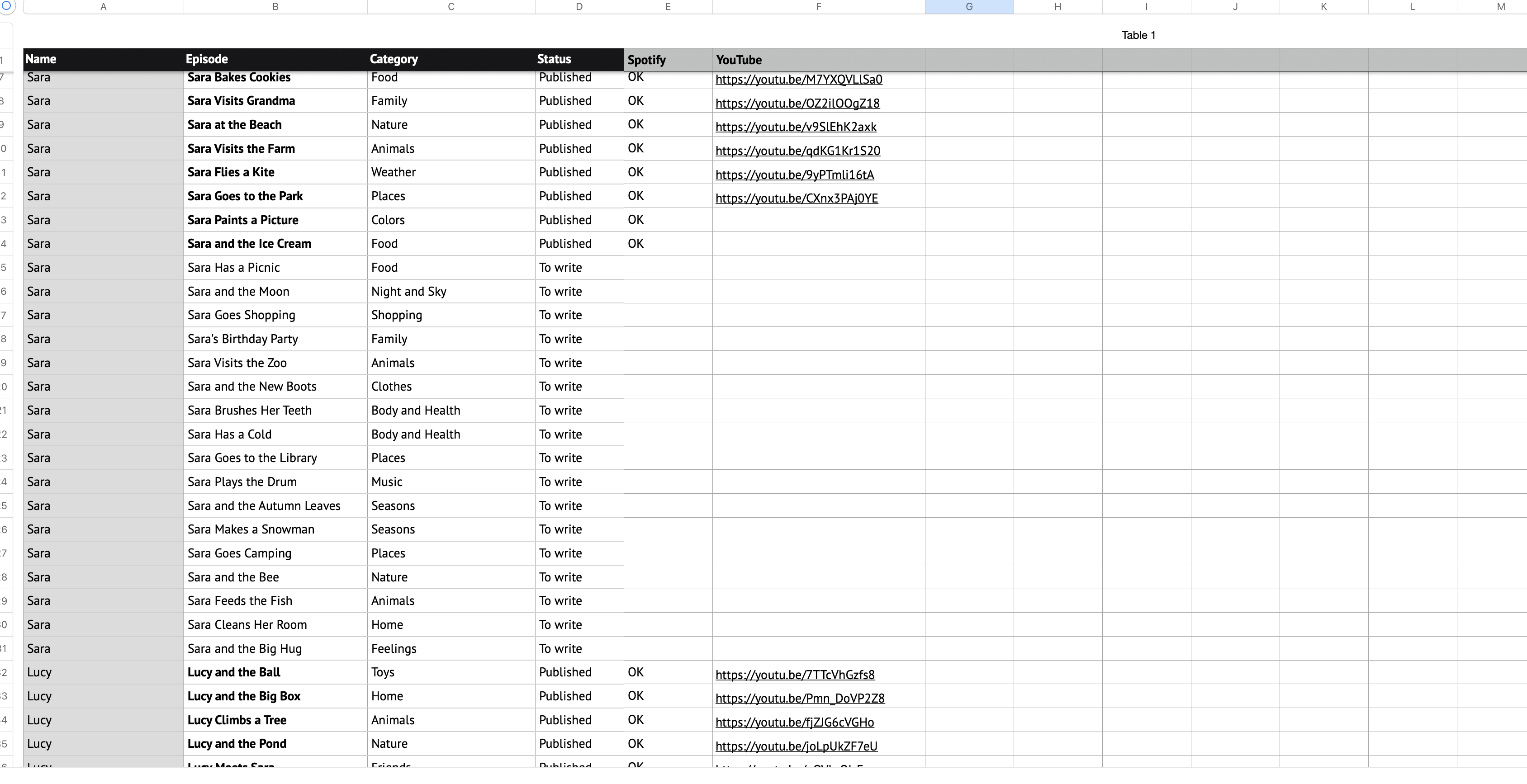
All of a sudden, my podcast management is a breeze. I know exactly what's done. Every episode sits on one row, and one look across the Spotify and YouTube columns tells me where it lives and where it's still missing. No clicking into anything.
Yes, it's a bit more work. Documenting everything in Numbers doesn't take away the work in my dashboard. But it beats sitting around all day trying to figure fucking stuff out without any real oversight.
The simplest tool available, free even, was the lifesaver of my week. I now have a firm grip on what I'm supposed to do, how I do it, what I record, when I record it, and where I store it.
What my dashboard is missing
I think I'll keep this additional step in my workflow. But I also took a look at whether my dashboard was lacking something.
I still use every feature I added to it: the scripts, reading mode, adding all the episodes, and so on.
But the way I built it makes it harder to see what's published and what isn't. Only when I click on an episode can I see whether Spotify or YouTube has been added.
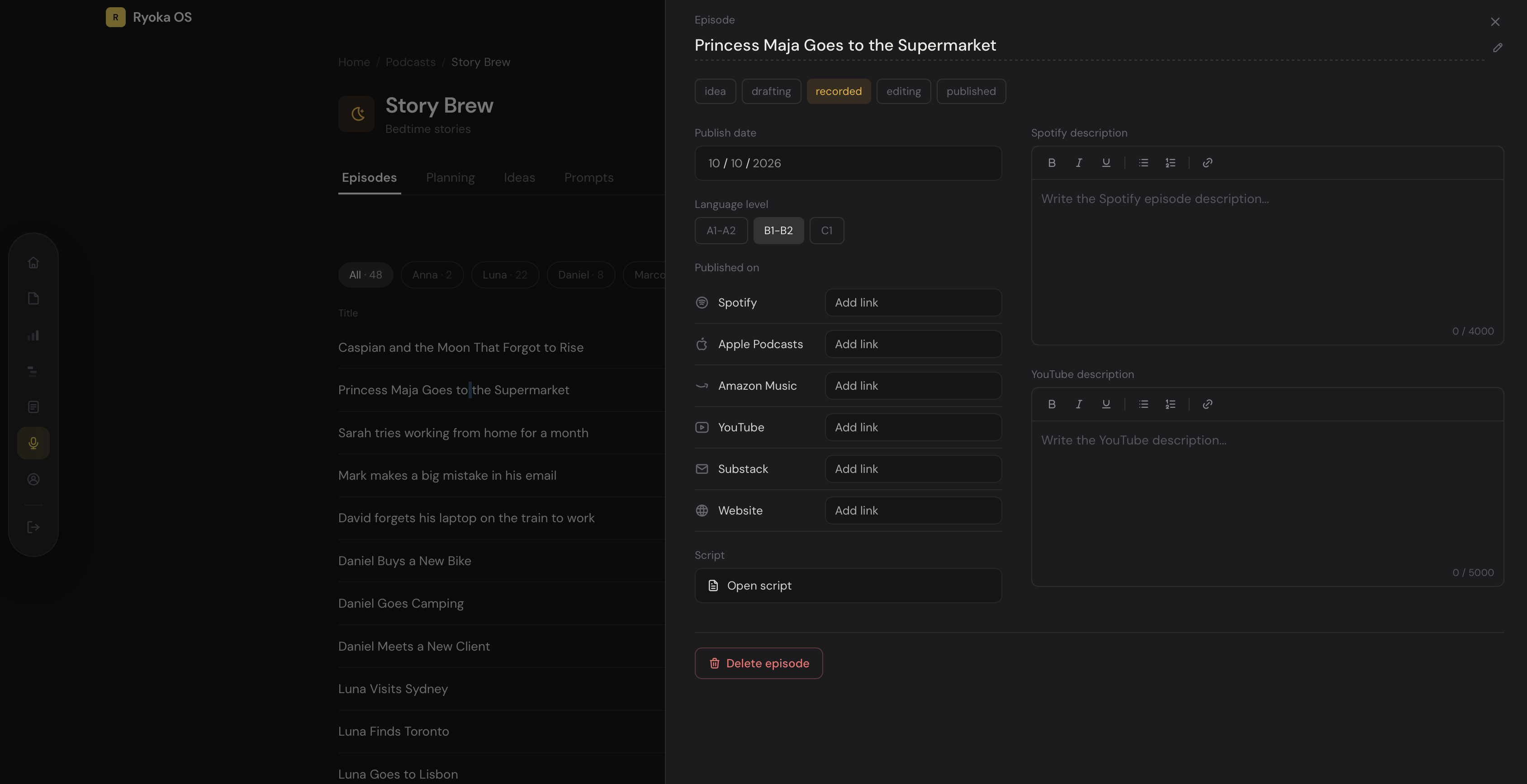
That's an extra click per episode, and across a hundred-plus episodes per show, those clicks are exactly where the oversight disappears.
I don't know yet. I have to revise it. Until I figure out whether my dashboard can be on par, Numbers is my go-to again for documenting and managing.
Decluttering gave me better insight on pace
During this decluttering phase, I also had a big realization. I shouldn't put that much pressure on myself right now when it comes to recording content.
Ideally, I want each story channel to have at least 365 episodes recorded. It's all evergreen content, with an audience I can build forever, and it slowly promotes Study Brew, the note-taking app for language learners.
But now that I have my first paying customer on TWO, and I need to put more focus on the native Mac app, I have to make some trade-offs for now.
So my plan is simple. Handle volume for one channel first, then handle more volume for the others.
Not every recording costs the same
I test-drove all three channels in terms of time, brain power, and what it takes to upload them. Uploading to either platform isn't the issue. The problem is always the time spent per recording.
A nine-minute B1-B2 bedtime story is not the same as a three-minute A1-A2 story for kids.
I can easily record six to ten Story Valley episodes in an hour, uploading not included. I can't do that with B1-B2 English.
B1-B2 takes more concentration on pronunciation and pace. Children's stories are easy because the sentences are short and simple, and my pace auto-adjusts to them.
With B1-B2, I'm reading for an adult learner who needs every word to land clearly, slow enough to follow but not so slow it sounds fake. Apparently that takes a lot more time and focus.
Read also: Story Valley went live on Spotify: what's my plan here?
The new plan
My new plan has two parts.
First, record 150 Story Valley stories as soon as possible, so I almost cover an entire year at one episode every two days.
Second, start Study Brew and Story Brew at two recordings each per week, but closer to the six-to-seven-minute mark instead of ten to twelve minutes.
It's a strategic decision. Once I'm through Story Valley, I can add more volume to Story Brew or Study Brew. For example, I could do three Story Brew episodes a week and still keep two for Study Brew.
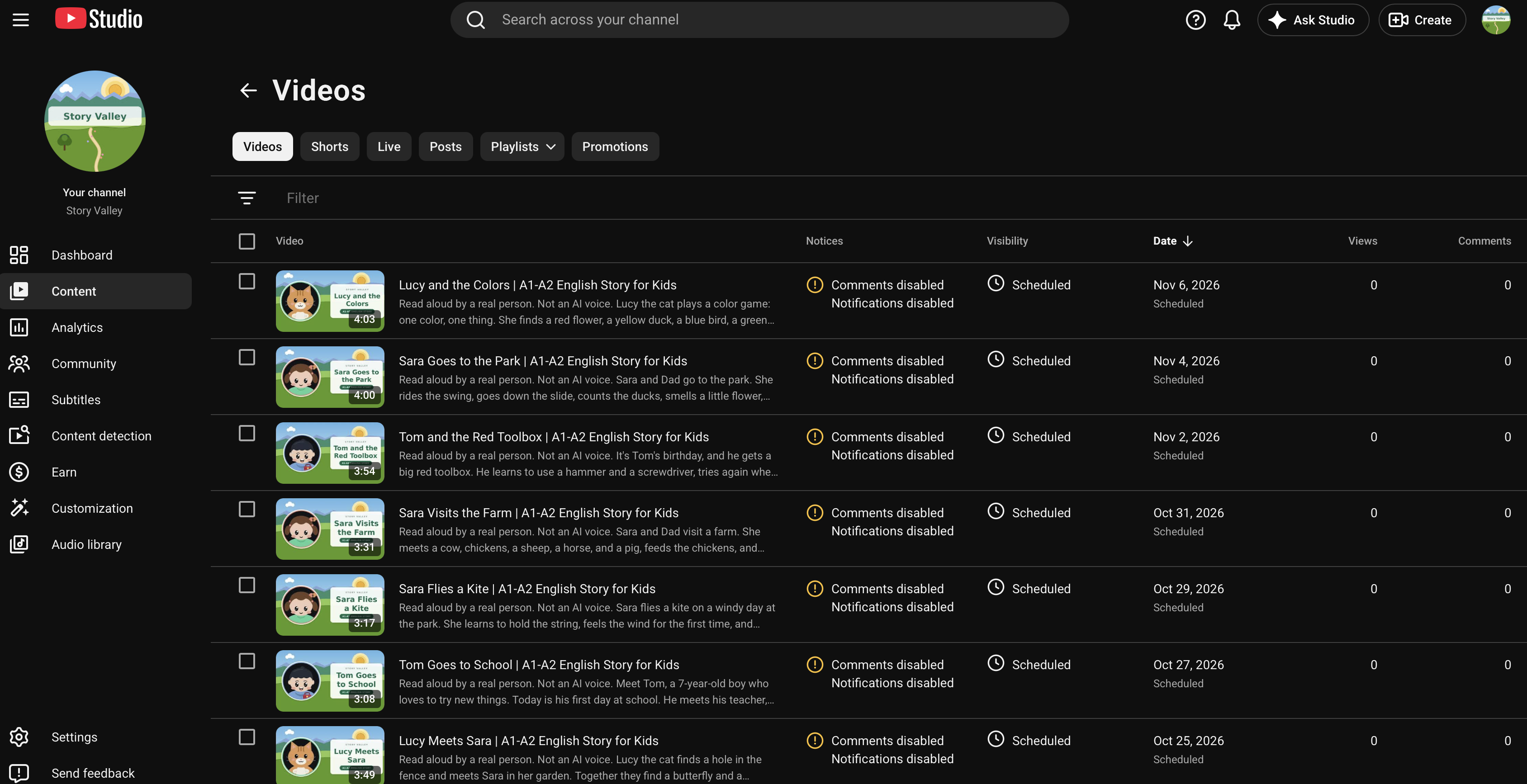
The goal is to fill a year of content for all three channels. I also delayed publishing on YouTube by design, which you can see in the next screenshot.
Content there is practically scheduled further out than on Spotify. I just started later on YouTube, which gives me more time to catch up and build a proper buffer on both platforms.
It makes sense to me
All this might seem messy, or might not make sense to anyone reading this post. For me, it makes sense in how it works.
AI can't automate any of it, and I don't want it to. Claude helped me build the sheet and the title list, but deciding what gets recorded, in what order, and at what pace is mine.
If I handed that off, I'd lose track of what I'm doing as a content creator, and that defeats the purpose.
Final note
I'm done decluttering. I have a system now, and a real game plan with a pace that works in my favor, considering where I'm at.
Funny how it goes. I spent months building a dashboard so I'd never need the simple stuff again, and the simple stuff is what got me back on track. The dashboard isn't going anywhere. It just has a spreadsheet sitting next to it now, and this week, that's exactly what I needed.
Get new posts before anyone else
No noise, no automation sequences. Just what I'm writing, thinking about, and building, sent when there's something worth sending.
An email once in a while. Unsubscribe anytime.

Written by
Pieter Borremans
Writer·Content creator·Founder
Based in Taichung, Taiwan and London, UK, this is Pieter's personal journal and builder's blog: field notes on entrepreneurship, solo business-building, and the unfiltered reality of creating online. Alongside it, he's chasing one absurd goal in public, $168M USD in lifetime earnings, tracked live from zero.